One conversation. A clear thread.
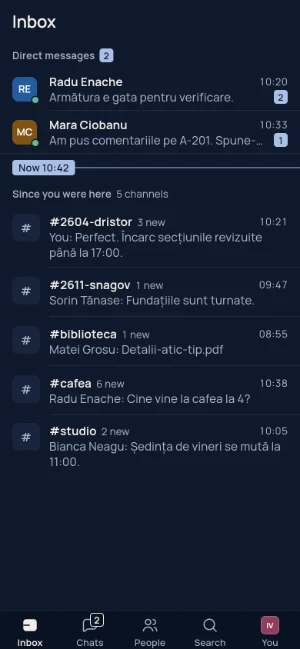
Direct messages for the things between you. Channels for everything the team needs to know.
A message, an idea, a conversation that moves things forward. All in a place of your own.
Pipe in motion
An idea. A message. Your people, a little closer.
A little closer
Your people, conversations and the things that matter stay close. From the first idea to the finishing touches.
ProductA place for your team.
Ways to stay close.
Room for your ideas.
Product03
A conversation that keeps going. A file close at hand. Your people, in the same place.
Today
I’ve added the file. Page 4 first?
↗All the little details. Right where you left them.
Interface demonstration. Fictional people and messages.
The little things
Clear conversations. Room to focus. And a place that feels like yours.
Direct messages for the things between you. Channels for everything the team needs to know.
Quiet hours when you need to focus. Drafts saved on your device. Messages queued when your connection drops.
Invitations, two-step verification and sessions you can end. Practical protections you can manage.
One account, your conversations. Open Pipe in a browser or install the app on your device.

See you in Pipe
Your workspace administrator sends you access.
Choose “Join team,” enter your invitation and set up two-step verification.
Join a channel or open a direct conversation. Your people are here.
A few answers
Ask your workspace administrator for an invitation. In Pipe, choose “Join team,” create your account and set up your authenticator. Keep your recovery codes somewhere safe.
In a browser and on Android, Mac and Windows, using the same account. On iPhone, use Safari; the native app is being prepared. Installation steps are on the downloads page.
Yes. Minimize the call, continue using your chats and return to the call. Allow microphone and camera access for audio and video.
Access requires an invitation and two-step verification. Web and API traffic use HTTPS, and backups are encrypted. Messages are not yet end-to-end encrypted: the server operator can access stored content.
Messages sent offline stay queued on your device and send when the connection returns. Drafts are saved on the device.
Start with a small invited group. Check messages, files, calls and notifications on your own devices before moving the whole team. Pipe does not automatically import Slack history.
PIPE / See you in Pipe
Your next conversation can start here.
Download Pipe